

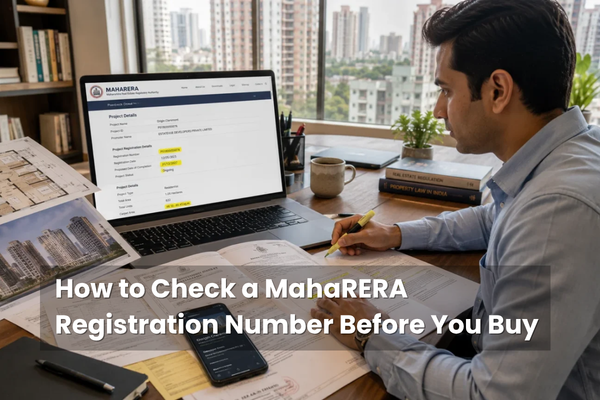
How to Check a MahaRERA Registration Number Before You Buy
Dasadia Editorial Team · Updated July 2026
A MahaRERA registration number is the single most important thing to verify before you pay a rupee for a home in Maharashtra — and checking it takes just a few minutes on your phone. That number is your proof that a project is legally registered, its finances are ring-fenced, and its developer is accountable. Yet many buyers never check, or simply take a brochure’s word for it. This guide walks you through exactly how to look up and read a MahaRERA number on the official portal, what the results should show, and the red flags that should make you walk away.
Key takeaways for MahaRERA Registration Number Check
- Checking a MahaRERA number is free, takes minutes, and needs no login — do it before paying any booking amount.
- The official portal is maharera.maharashtra.gov.in; search by RERA number, project name, promoter or district.
- A valid number must appear on every advertisement, brochure, booking form and sale agreement, usually with a QR code.
- Open 'View Details' to check the registration status, promoter, possession date, escrow (Form B), progress and litigation.
- 'New Project' or 'Renewed' is fine; 'Lapsed' or 'Withdrawn' means do not book.
- 'RERA applied' or 'in process' carries no legal protection — only a confirmed number on the portal counts.
- Verify the agent too, and — for townships — the specific phase or wing you are buying, not just the parent project.
- If a project isn't on the portal, treat it as a serious red flag and pay nothing.
What is a MahaRERA registration number?
A MahaRERA registration number is a unique code the Maharashtra regulator assigns to every project it registers, confirming the project has met the legal requirements to be advertised and sold. It must appear on every advertisement, brochure, booking form and sale agreement, and it unlocks the project’s full public record on the MahaRERA portal — approvals, finances, timelines and documents. The number begins with a letter and a regional code: Mumbai project numbers commonly start with ‘P519’ for the suburban district or ‘P517’ for the city, followed by a unique serial, though the exact format has evolved over the years. What matters is not memorising the format but confirming the number actually exists on the portal and matches the project in front of you. That single confirmation — that the number is real and matches — is the foundation everything else rests on.
Why you must check it before you buy
Registration is not a formality — it is your legal safety net. A registered project must keep 70% of your money in escrow, sell you genuine carpet area, commit to a possession date, and answer to MahaRERA for delays and defects. An unregistered project offers none of this, and selling one is itself an offence, with penalties of up to 10% of the project cost. Registration is mandatory for any project on more than 500 square metres or with more than eight units, so almost every Mumbai development you will consider must have a number. Checking it is the cheapest insurance you will ever buy — and the one most buyers skip. The few minutes it takes can be the difference between a home and a years-long legal battle.
Source: thepropertist · MahaRERA
How to check a MahaRERA number: step by step
The check itself is quick and free — the portal’s search is open to everyone, with no login needed. Follow these six steps.
What to check once you find the project
Finding the project is only half the job — the record itself tells you whether it is safe. Work through this checklist on the details page.
- The registration status — 'New Project' or 'Renewed' is fine; 'Lapsed' or 'Withdrawn' means do not book.
- The number, promoter name and project name match the brochure and your agreement exactly.
- The declared possession date, and whether any extensions were granted and on what grounds.
- Form B — the developer's CA-certified financials — showing 70% of funds held in the RERA escrow account.
- The Quarterly Progress Reports — physical construction should keep pace with the money withdrawn.
- The litigation and complaints tab, and the project's compliance grade, for the developer's track record.
Source: Brickplot · thepropertist
What the statuses and grades mean
Two parts of the record deserve a closer look, because they capture a developer’s reliability at a glance. The registration status tells you where the project stands: ‘New Project’ means an active registration within its period; ‘Renewed’ means the original lapsed but was successfully extended, which is normal for longer builds; and ‘Lapsed’ or ‘Withdrawn’ means the developer did not renew — a clear signal to stay away. Alongside this, MahaRERA now assigns each project a compliance grade from A to D, based on how faithfully the developer files updates and meets its obligations, so a consistently high grade is a good sign and a poor one a caution. Finally, look at the possession date and any extensions: one extension can be reasonable, but repeated extensions without tribunal approval suggest a project that keeps slipping.
Red flags and traps to watch for
A quick search also surfaces the warning signs that should stop you in your tracks. Treat any of these as a reason to pause and dig deeper — or walk away.
- The number does not appear on the portal, or its format looks wrong for Maharashtra.
- The developer says 'RERA applied' or 'registration in process' — this carries no legal protection at all.
- You are asked for token money or a booking amount before a registration number is shown.
- The project status is 'Lapsed', 'Withdrawn' or suspended — its bank accounts may be frozen.
- Construction progress lags well behind the funds withdrawn, or 'recovery warrants' appear on the record.
- Only the parent township is registered, not the specific phase or wing you are buying in.
Source: Brickplot · thepropertist
What to do if the check raises a problem
Finding a problem is exactly what the check is for — the key is what you do next. If a project simply is not on the portal, the answer is straightforward: do not pay anything, and ask the developer for the registration number in writing, then verify it yourself rather than trusting a screenshot. If the number exists but something looks off — a lapsed status, a mismatched carpet area, a stalled build against heavy withdrawals — raise it with the developer in writing and get a documented explanation before proceeding. If you have already booked and the developer is in breach, you are not stuck: you can file a complaint directly on the MahaRERA portal for about ₹5,000, with disposal targeted within 60 days, and claim interest or a refund under the Act. And if the answers do not satisfy you, the most powerful protection is the simplest — be willing to walk away. There is always another flat.
Source: thepropertist · MahaRERA
Don't forget the agent — and the phase
Two checks people routinely miss. First, the agent: anyone facilitating a sale in Maharashtra must be individually registered with MahaRERA, and you can verify them under ‘Search Agent Registration’ using their name or number. An unregistered agent cannot legally broker your deal — a red flag in itself. Second, the phase: large townships are often registered phase by phase, so a parent project having a number does not mean your specific building does. Always confirm that the exact phase or wing you are buying into carries its own valid registration. And remember the QR code — for several years, registered projects have had to display one on their marketing, and scanning it should take you straight to the live portal record. If a QR code is missing from an advertisement, or leads to a generic homepage rather than the project’s record, treat that as a warning in itself.
The bottom line
Checking a MahaRERA number is the simplest, highest-value habit a Maharashtra homebuyer can build. In the few minutes it takes to search the portal, you confirm the project is real, registered and financially disciplined, and you surface the warning signs — a lapsed status, a litigation trail, a stalled build — that separate a safe purchase from a costly mistake. Do it before you fall in love with a show flat, not after. Verify the number, read the record, check the agent and the phase, and never part with money for a project you cannot find on the official portal. That single discipline protects the biggest cheque you are ever likely to write. In a market that has finally put real information at your fingertips, the only unforgivable mistake is not looking.
Frequently asked questions
Go to the official MahaRERA portal, open the ‘Projects’ search, enter the RERA number (or project or promoter name), click Search, and open ‘View Details’ to see the project’s full registered record.
maharera.maharashtra.gov.in (also reachable at maharera.mahaonline.gov.in). The public project and agent search is free and needs no login or account.
It begins with a letter and a regional code — Mumbai numbers commonly start with P519 (suburban) or P517 (city) — followed by a unique serial. The format has evolved over the years, so confirm it on the portal rather than by pattern.
On every advertisement, brochure, booking form and sale agreement, usually alongside a QR code that links directly to the project’s portal record.
The registration status, promoter and project name, the possession date and any extensions, Form B financials (70% escrow), the quarterly progress reports, and any litigation or complaints.
Treat it as a serious red flag. An unregistered project offers no RERA protection, and selling one is an offence. Do not pay anything until you see a valid, matching registration on the portal.
No. ‘RERA applied’ or ‘registration in process’ carries no legal protection. Only a confirmed registration number visible on the MahaRERA portal counts.
The registration has expired and was not renewed. The developer is barred from selling, and the project’s bank accounts may be frozen — do not book.
Use ‘Search Agent Registration’ and enter the agent’s name or registration number. An unregistered agent cannot legally facilitate a sale in Maharashtra, which is a red flag in itself.
Yes. Townships are often registered phase by phase, so confirm the exact phase or wing you are buying carries its own valid registration, not just the parent project.
Yes. The MahaRERA portal’s project and agent search is open to the public at no cost and without registration.
Form B is the developer’s chartered-accountant-certified financial disclosure, showing how much has been collected from buyers and whether 70% is held in the project’s escrow account.
Verified — key facts
- Official portal: maharera.maharashtra.gov.in; public project and agent search is free, with no login required (MahaRERA).
- Search a project by RERA number, project name, promoter name or district, then open 'View Details' for the full record (Lodha / MahaRERA).
- Mumbai registration numbers commonly begin P519 (suburban) or P517 (city); the format has evolved over time (HomeFirst / Brickplot).
- Registration is mandatory for projects on more than 500 sq m or with more than 8 units; selling unregistered carries penalties up to 10% of project cost (HomeFirst / Lodha).
- Statuses: New Project (active), Renewed, or Lapsed/Withdrawn (do not book); MahaRERA grades projects A-D on compliance (Brickplot).
- 'RERA applied' has no legal force; only a confirmed portal registration counts; QR codes are required on marketing material (Brickplot).
- Agents must be individually registered ('Search Agent Registration'); for townships, verify the specific phase or wing (thepropertist / Brickplot).
Disclaimer: This article is for informational purposes only and is not legal advice. The MahaRERA portal, its navigation, number formats and procedures are described as at the time of writing and may change; registration number formats and statuses vary by project and era. Always rely on the official MahaRERA portal for current information, and consult a qualified property lawyer, before booking or making any payment.
Verifying a home in Andheri East?
Explore 153 East by Dasadia Developers LLP — a freehold, MahaRERA-registered residential address in J.B. Nagar, Andheri East, minutes from the metro, Western Express Highway and the airport. MahaRERA registration no. PR1180002502968. Get the brochure with floor plans, pricing and amenities, or book a site visit with our team.